[ Browser extension · non-custodial ]

One wallet for every chain. And a receipt before you sign.

The Rabby Wallet extension reads the site you are on, requests the right network for you, and simulates the transaction first — so you can see exactly which assets leave your wallet before you press confirm.

  • 30+ chains supported
  • 0 manual network prompts
  • Keys stay on device
Chains in the switcher
30+
Preview before signature
Always
Custody of your keys
You
Set-up time
~2min

[ Why people keep it pinned ]

Six things the extension does differently

Most wallets ask you to be your own safety layer. Rabby Wallet moves that work into the popup: chain detection, allowance warnings and a plain-language summary of every request.

Automatic chain switching

Land on a dapp and the extension asks for the network that app runs on — no hunting through settings, no failed swaps on the wrong chain.

Pre-signature simulation

Before you confirm, see the assets leaving your wallet, the assets arriving, and the exact fee — rendered from the transaction itself, not from a promise on the page.

Risk flags that explain themselves

Suspicious approvals, first-time contracts and unlimited token allowances get a warning you can read in one line, with the reason attached.

Pending-transaction tracking

Stuck swaps sit in one queue with their nonce and status, so you can speed one up or cancel it instead of guessing why the dapp is frozen.

Many accounts, one popup

Keep a trading account, a long-term cold-ish account and a burn address side by side. Each one addresses itself, and the popup remembers the last used.

Keys that never leave your device

Seeds and hardware-wallet signing stay local, encrypted behind your password. No account, no login, no server holding a copy of your funds.

[ From install to confirmed ]

Three steps, one popup

  1. 01

    Install and import

    Add the extension from your browser's store, create a fresh wallet or paste an existing recovery phrase. Keys are generated and encrypted locally.

  2. 02

    Connect on the right chain

    Open any dapp. The extension detects the network it needs and asks you to switch, then lists exactly which permissions the site is requesting.

  3. 03

    Read the preview, then sign

    The simulation shows balance changes and fees. Confirm if the numbers match your intent; reject and nothing is sent.

A preview reduces surprises — it is not a guarantee. Contract bugs and malicious logic can still slip past any simulator, so keep hardware signing for large amounts and verify addresses yourself.

[ From the blog ]

The wallet that shows you the fine print

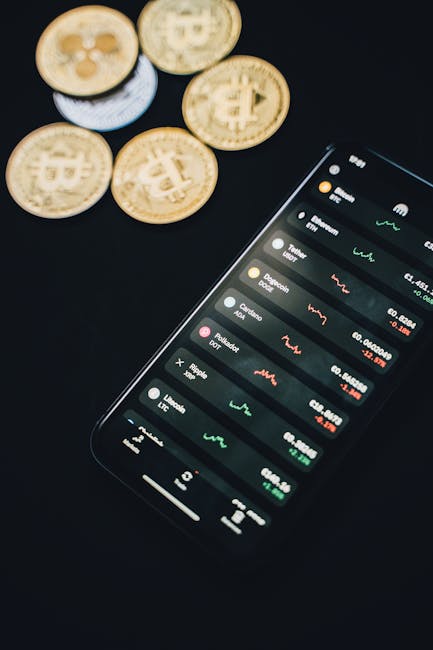
Coins beside a smartphone showing a wallet balance and price chart
Photo: Alesia Kozik / Pexels — an overview of the Rabby Wallet extension.

Rabby Wallet Extension: a wallet that shows you the fine print

Most browser wallets ask one question — which network are you on? — and leave the rest to you. The Rabby Wallet extension flips that. It reads the site you are about to use, detects the chain that site actually runs on, and offers the switch, so a bridge or a swap does not fail because you were pointed at the wrong network.

The second habit is harder to copy. Before a signature or a trade goes through, Rabby Wallet simulates it: what leaves your wallet, what arrives, how your balance moves, and what the network fee takes. That preview is the difference between clicking Confirm with a shrug and clicking it because you read the numbers. Approvals are graded too: an unlimited token allowance to a contract you have never touched gets a louder warning than a swap through a router you use every day.

Everything stays non-custodial. Private keys are generated on your device and encrypted behind a password you choose; the extension holds no account of yours and cannot move funds on its own. Remove the extension and your recovery phrase still restores every account on any compatible wallet.

It is not the right pick for someone who wants one chain and nothing else. It is built for people who live across several, and who would rather see what a transaction costs before agreeing to it.

Independent overview written as a design example — verify current features and details with the official Rabby documentation before relying on them.

[ Questions ]

Before you install

Short answers to the things people ask first.

Is the Rabby Wallet extension non-custodial?

Yes. Private keys are created and stored on your own device, encrypted behind a password you set. The extension keeps no account for you and cannot move funds by itself — your recovery phrase restores every account.

What does it show me before I sign?

A simulation of the transaction against current chain state: assets leaving your wallet, assets arriving, the change in your balance and the gas or network fee, plus warnings for unusual approvals.

Do I have to switch networks manually?

No. The extension reads the chain a site expects and asks you to switch, which keeps you from signing on the wrong network — a common way transactions silently fail.

Can I use it on a phone?

The extension itself runs in desktop browsers such as Chrome, Brave and Edge. Rabby also ships a mobile app, but the browser extension is desktop-only by design.

Pin it, fund it, and read the preview.

Install the Rabby Wallet extension from your browser's official store, then import or create a wallet. Nothing to sign up for.